One command. A working prospecting agent.
Turn a precise sales brief into review-ready prospects
Bring company discovery, contact research, outreach context, and signal tracking into your agent runtime while keeping every consequential action visible to a human operator.
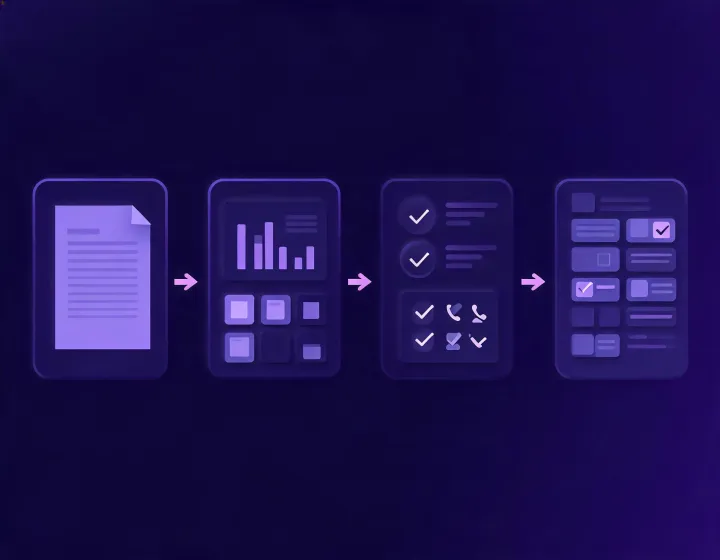
Runtime matrix
Know what connects, what it can access, and what remains under review
Input sources
Research agent
Output destinations
Prompt to result
Three operators, three review gates
Build a focused account queue
- Brief: define territory, employee band, and exclusions.
- Agent actions: research fit signals and likely buying roles.
- Review gate: remove weak matches before any draft.
- Output: a reasoned prospect queue with evidence.
Test a narrow market thesis
- Brief: state the operational pain your product addresses.
- Agent actions: find companies where that pain is visible.
- Review gate: inspect assumptions and source quality.
- Output: a small, learnable outreach cohort.
Prepare enrichment decisions
- Brief: declare required fields and acceptance rules.
- Agent actions: assemble candidate values and provenance.
- Review gate: approve mappings before CRM writeback.
- Output: an auditable enrichment package.
Execution path
A prospecting workflow with visible control points
Brief
Define ICP logic, territories, exclusions, and the result format your team can actually use.
Research
Let the agent gather firmographic, technographic, role, and signal context against that brief.
Review
Inspect fit rationale, source confidence, sensitive fields, and message relevance before action.
Handoff
Move approved output to your next step without hiding configuration-dependent behavior.
Install runbook
Copy is the beginning, not the finish line
1. Copy
npx -y @okki-global/okki-go-taroballSuccess signal: the exact command is in your clipboard. Nothing has been installed yet.
2. Run
Paste the command into a supported local agent terminal. Review any package execution notice before continuing.
Success signal: the installer reports that the skill files were placed for your selected runtime.
3. Configure
Add only the credentials required by your chosen connectors, using the runtime's secret storage rather than a prompt or repository.
Success signal: the agent can validate the configured connection without exposing the key.
4. First result
Start with a narrow ICP brief, inspect every source and assumption, then approve or reject the result manually.
Success signal: a structured prospect record includes fit reasoning and review status.
Trust ledger
Questions your security reviewer should ask before the first run
Data sources
- Config-dependent Results depend on connectors chosen by the operator.
- Review required Validate source rights and regional use restrictions.
API keys
- Operator controlled Keep secrets in runtime credential storage.
- Never prompt Do not paste keys into briefs or outreach content.
Runtime behavior
- Inspect locally Review package output and requested access.
- Human in the loop Treat outbound drafts as proposals, not sends.
Retention and deletion
- Not universal Policies depend on connected systems.
- Document first Set workspace retention before processing contacts.